Cart
Your shopping cart is empty! 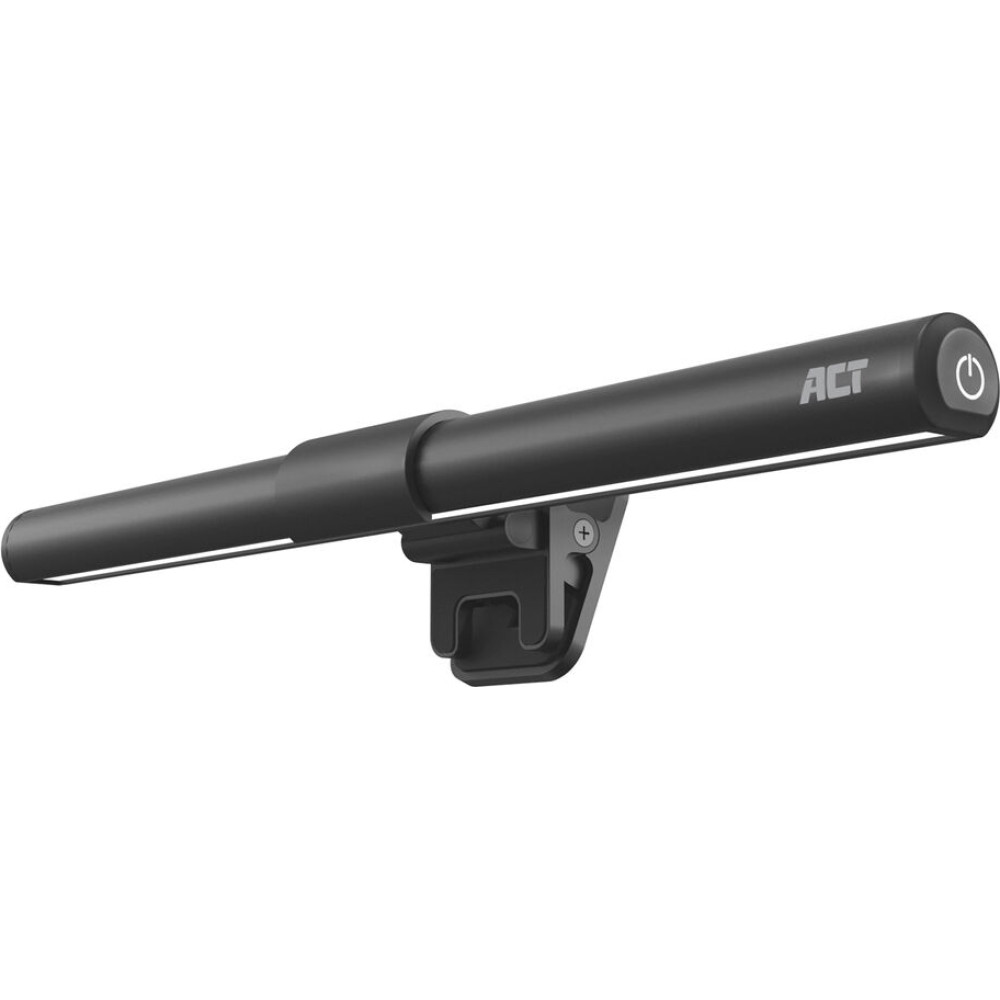

ACT USB LAPTOP LED LIGHT DIMMABLE
To purchase this product you must be registered in our system.
| The ACT AC8050 clip-on laptop LED light bar is designed to provide comfortable lighting to your laptop, improving productivity and comfort while working in low-light environments. This USB-powered light bar offers three color settings: warm white (3000K), daylight (5000K), and cool daylight (6500K), allowing you to customize the lighting to your preference. The adjustable brightness ensures that you can set the perfect illumination level for your workspace. Illuminate your keyboard The AC8050 helps you to stay more focused while working on your laptop in a low-light setting, by providing a comfortable and adjustable lighting solution. The clip-on design makes the light bar easy to attach and detach. Touch control The touch button on the side of the bar lets you control the brightness and color temperature with only a light tap. Both the brightness and color temperature can be adjusted to your preferences. The light bar offers three color temperature levels: warm white (3000K), daylight (5000K) and cool daylight (6500K). To adjust the brightness, simply tap and hold the touch button. Clip-on design with webcam cutout Easily and securely attach the LED bar to your laptop using the integrated clamp. The clamp features protective non-slip pads and a cutout to keep the laptop’s integrated webcam accessible. USB powered Power the AC8050 LED light bar with the included 120cm USB cable, for both USB Type-A and USB Type-C devices such as a laptop, USB charger or power bank. USB powered clip-on LED light bar with adjustable lighting angle to illuminate your keyboard without any screen glares Color temperature modes: Warm White (3000K) / Daylight (5000K) / Cool Daylight (6500K) Touch control: On/Off, adjust the brightness and color temperature Clip-on design with webcam cutout and non-skid protective pads Comes with a travel pouch USB Powered LED light bar for use on a laptop for more eye comfort in low-light environments File - Manual |