Cart
Your shopping cart is empty! 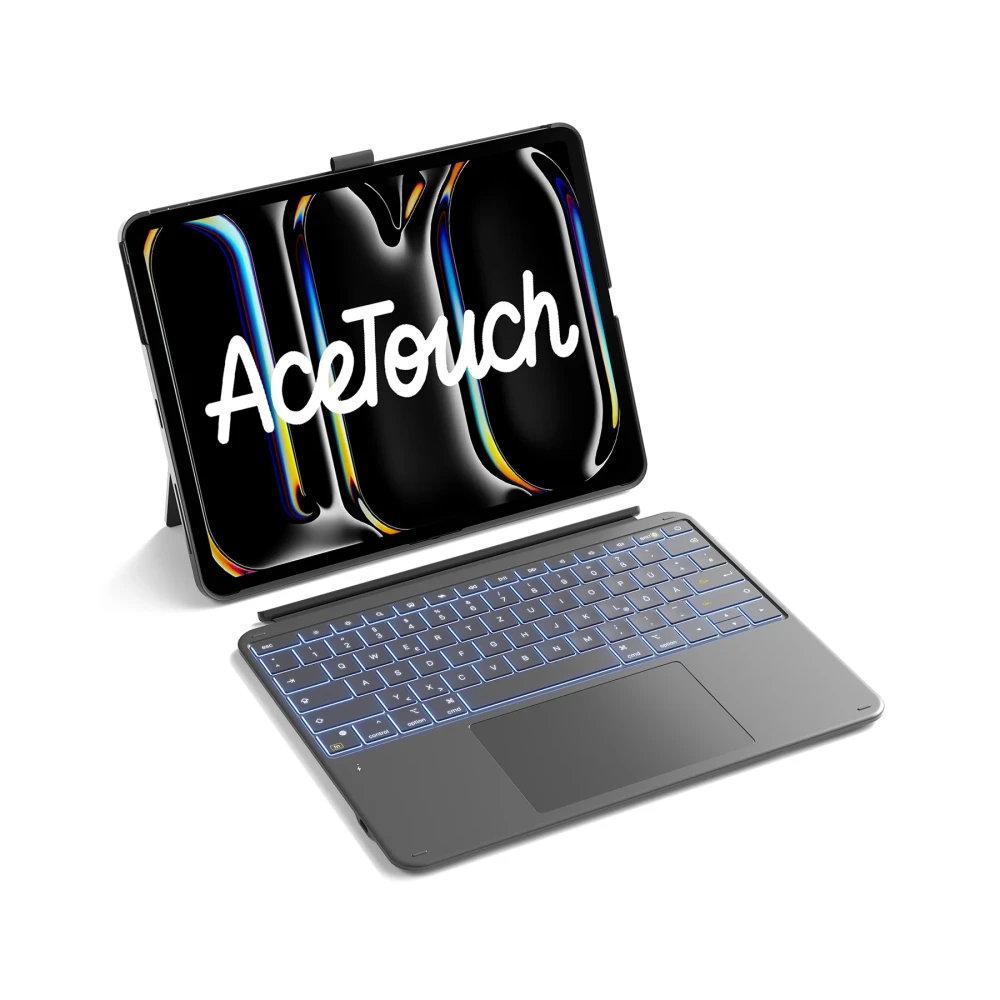

Inateck Keyboard Ace Touch iPad 13" Compatible QWERTZ gray
To purchase this product you must be registered in our system.
Both iPad and Laptop: The keyboard and protective cover are magnetically connected and can be easily removed in just one second. Even with just one cover, you will enjoy a stable grip. It can be placed horizontally or vertically, offering more flexibility for different scenarios such as working, studying, watching movies, drawing, reading, etc.
Compatibility: Only compatible with iPad Pro 13 2025 (M5) and iPad Pro 13-inch 2024 (M4) versions, models A2925/A2926/A3007. Please check the model number (Axxxx) on the bottom of the device before purchasing.
iPad Pro 13 inch 🌟
Extra-large, full-surface trackpad: Equipped with a 6.0-inch extra-large trackpad (126 x 82 mm), the 30% larger size provides smoother and more accurate control. It is compatible with all iPadOS gestures, offers error protection and precise operation without lag, and will become your efficient assistant for document design, work or writing.
High-performance typing: The keyboard has 1 mm key travel and a scissor switch mechanism, while the 5.3 mm Bluetooth chip provides lower latency and improved interference rejection. The 1.6 mm larger keycaps fit perfectly in your hand, allowing you to type for a long time without fatigue. Fourteen independent shortcut keys provide one-click switching, facilitating fast multitasking and a comfortable typing experience.
Invisible Pencil Case Design: The Pencil Case is designed to be invisible. It can be removed when needed to safely store Apple Pencil, preventing scratches and loss. When not in use, the Pencil Case can be hidden in the protective cover to maintain smooth lines and enhance the elegant appearance of the device.
[Attention!!] If you encounter any problems with keyboard input, such as incorrect language when typing, please contact us. For example, if pressing the “Z” key produces the letter “Y”, you can reset your device’s keyboard language to German (QWERTZ): Settings > Advanced settings > Language & input > Physical keyboard > Ace Touch > Keyboard layout > Select German (QWERTZ).